
If you’ve ever uploaded an image to a website and wondered whether to save it as JPG, PNG, WEBP, or AVIF — you’re not alone. This is one of those small decisions that can have a surprisingly big impact on your website’s speed, visual quality, and even your Google rankings.
Choosing the wrong image format can slow down your site, bloat your storage, or make your images look terrible. Choosing the right one? That’s where the magic happens.
In this guide, we’ll break down the difference between JPG PNG WEBP and AVIF, explain when to use each, and help you make smarter decisions for your website, blog, or digital project.
What Are Image Formats and Why Do They Matter?
An image format is essentially the file structure that determines how pixel data is stored, compressed, and displayed. Different formats use different compression algorithms, which affects:
- File size (how much space the image takes up)
- Visual quality (how sharp and accurate it looks)
- Browser compatibility (whether all users can see it)
- Loading speed (how fast it appears on screen)
For website owners and developers in the UK and beyond, image formats directly affect Core Web Vitals — Google’s ranking signals that measure page experience. A poorly chosen format means slower load times, and slower load times mean lower rankings. Simple as that.
JPG (JPEG) — The Old Reliable
What Is JPG?
JPG (also written as JPEG — Joint Photographic Experts Group) has been around since 1992. It’s the most widely used image format in the world, and for good reason.
JPG uses lossy compression, which means it reduces file size by discarding some image data. The human eye rarely notices this loss, especially at quality settings of 70–85%.
When Should You Use JPG?
JPG is ideal for:
- Photographs and realistic images with many colours
- Social media posts and thumbnails
- Email newsletters where file size matters
- Product images on e-commerce websites
Pros and Cons of JPG
Pros:
- Universally supported by all browsers and devices
- Small file sizes for photographs
- Great for complex, colourful images
Cons:
- Quality degrades each time you save it (lossy)
- Does not support transparency
- Not ideal for sharp-edged graphics or text
Quick fact: A standard high-resolution photograph saved as JPG at 80% quality typically weighs between 100–300 KB — compared to several megabytes as a raw file.
PNG — When Transparency Matters
What Is PNG?
PNG (Portable Network Graphics) was designed in 1996 as an open-source alternative to GIF. Unlike JPG, PNG uses lossless compression — meaning no image data is lost during compression.
PNG is the go-to format when you need crisp, clean visuals with transparent backgrounds.
When Should You Use PNG?
PNG works brilliantly for:
- Logos and icons that need transparent backgrounds
- Infographics with text and sharp lines
- Screenshots and UI elements
- Illustrations with flat colours
Pros and Cons of PNG
Pros:
- Supports full transparency (alpha channel)
- Lossless quality — no degradation
- Perfect for text, logos, and graphics
Cons:
- Much larger file sizes than JPG for photographs
- Not ideal for high-resolution photos on the web
Pro tip: If your logo appears on various coloured backgrounds, always keep a PNG version with transparency. It’ll save you hours of re-editing.
WEBP — The Modern Middle Ground
What Is WEBP?
WEBP was developed by Google in 2010 and officially supported by all major browsers by 2020. It supports both lossy and lossless compression and offers transparency like PNG while achieving smaller file sizes than both JPG and PNG.
This format sits squarely at the heart of the difference between JPG PNG WEBP and AVIF debate when it comes to web performance.
When Should You Use WEBP?
WEBP is excellent for:
- Web images of all types (photos, illustrations, icons)
- Blogs and news websites where page speed is crucial
- Landing pages and product listings
- Any image that currently exists as JPG or PNG on your website
Pros and Cons of WEBP
Pros:
- 25–35% smaller than JPG at comparable quality (according to Google Developers)
- Supports transparency (like PNG)
- Supports animation (like GIF)
- Excellent browser support across Chrome, Firefox, Safari, and Edge
Cons:
- Not supported by very old browsers (IE11 and below)
- Some image editing software still doesn’t export WEBP natively
- Not ideal for archiving original files
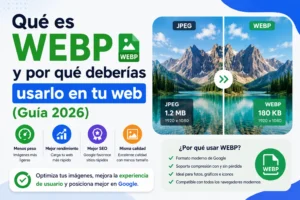
Real-world example: A JPG hero image at 250 KB converted to WEBP can drop to around 160–180 KB with no visible quality difference. Multiply that across 50 images and you’ve saved significant bandwidth.
AVIF — The New Kid on the Block
What Is AVIF?
AVIF (AV1 Image File Format) is based on the AV1 video codec and was developed by the Alliance for Open Media. It’s the newest format of the four and arguably the most technically impressive.
AVIF offers superior compression compared to JPG, PNG, and even WEBP — often achieving file sizes 50% smaller than JPG at equivalent or better quality. It also supports HDR (High Dynamic Range) colours and wide colour gamuts, making it a strong candidate for high-quality digital images.
Understanding the difference between JPG PNG WEBP and AVIF at this level reveals just how significant the generational leap really is.
When Should You Use AVIF?
AVIF shines for:
- High-quality hero images and photography on modern websites
- E-commerce product photos where detail and speed both matter
- Media-heavy platforms looking to reduce server costs
- Next-generation web projects prioritising performance
Pros and Cons of AVIF
Pros:
- Smallest file sizes of any widely available format
- Supports transparency, HDR, and wide colour gamuts
- Excellent visual quality even at high compression
- Supported by Chrome, Firefox, and Safari (as of 2023)
Cons:
- Slower encoding times (takes longer to convert images to AVIF)
- Not yet supported in all browsers (Edge is improving; IE has no support)
- Limited native support in image editing tools
- Still maturing in terms of ecosystem adoption
According to Cloudinary’s research, AVIF can reduce image file sizes by 50% compared to JPEG with the same perceptual quality — that’s a huge win for web performance.
Head-to-Head Comparison: JPG vs PNG vs WEBP vs AVIF
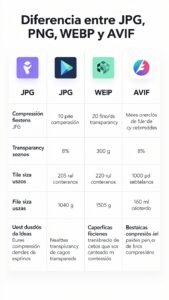
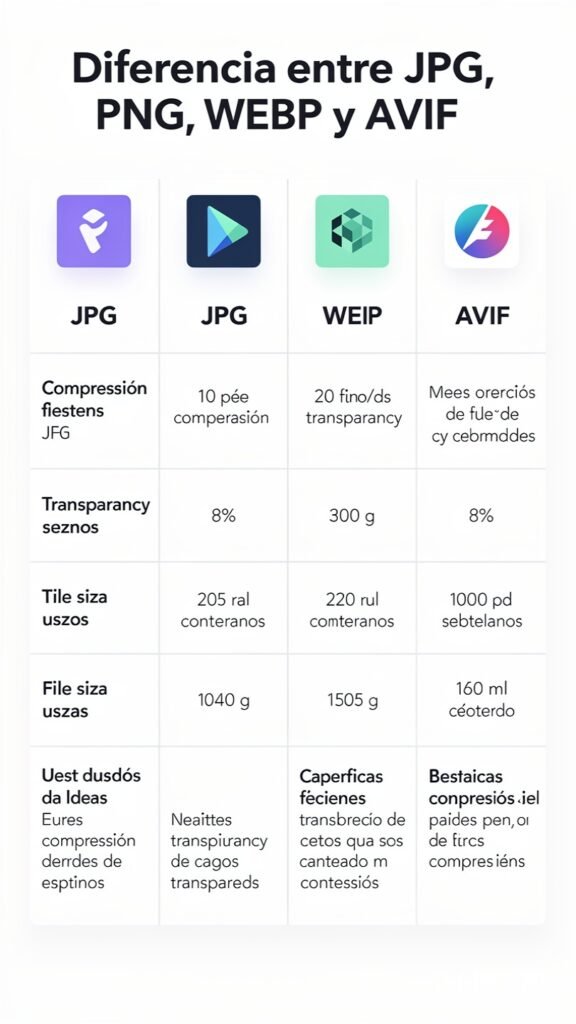
Here’s a quick summary to help you understand the difference between JPG PNG WEBP and AVIF at a glance:
| Feature | JPG | PNG | WEBP | AVIF |
| Compression Type | Lossy | Lossless | Both | Both |
| File Size | Medium | Large | Small | Smallest |
| Transparency Support | ✗ | ✓ | ✓ | ✓ |
| Animation Support | ✗ | ✗ | ✓ | ✓ |
| Browser Support | All | All | Very Wide | Modern |
| HDR / Wide Colour | ✗ | ✗ | ✗ | ✓ |
| Best For | Photos | Graphics | Web All | Modern Web |
How to Choose the Right Image Format
The difference between JPG PNG WEBP and AVIF is not just about file size — it’s about the right tool for the job. Here’s a simple decision-making guide:
Step 1: Identify Your Image Type
- Is it a photograph or realistic image? → Start with JPG or WEBP
- Is it a logo, icon, or graphic? → Use PNG or WEBP
- Is it going on a modern, performance-first website? → Consider AVIF
Step 2: Check Your Audience’s Browser
If your audience is primarily on modern browsers (Chrome, Firefox, Safari), WEBP and AVIF are safe bets. If you’re serving older devices or enterprise environments with legacy browsers, JPG and PNG remain reliable fallbacks.
Step 3: Consider Your Workflow
Not all CMS platforms and image editors support AVIF yet. WordPress supports WEBP natively from version 5.8. If your workflow can handle AVIF, brilliant — go for it. If not, WEBP is the next best choice.
Step 4: Use Responsive Image Techniques
Modern HTML allows you to serve multiple formats using the <picture> element, letting the browser choose the best option:
<picture>
<source srcset=”image.avif” type=”image/avif”>
<source srcset=”image.webp” type=”image/webp”>
<img src=”image.jpg” alt=”Descriptive alt text”>
</picture>
This approach ensures users with older browsers still see your images, while modern browsers get the best performance.
Image Formats and SEO — What Google Wants
Google has been quite clear: page speed matters for rankings. Choosing the right image format is one of the simplest ways to improve your Largest Contentful Paint (LCP) and overall Core Web Vitals score.
Google’s own PageSpeed Insights and Lighthouse tools often recommend:
- Serving images in next-gen formats (WEBP or AVIF)
- Properly sizing images for their display dimensions
- Using lazy loading for images below the fold
By understanding the difference between JPG PNG WEBP and AVIF, you can take direct action to improve your site’s performance scores — and with them, your search rankings.
Common Mistakes to Avoid
Even experienced developers and designers make these errors:
- Using PNG for all images — PNG is lossless and beautiful, but unnecessarily heavy for photographs.
- Forgetting alt text — Regardless of format, descriptive alt attributes are essential for accessibility and SEO.
- Not compressing images — Even WEBP and AVIF benefit from tools like Squoosh or TinyPNG before uploading.
- Ignoring fallbacks — Always provide a JPG or PNG fallback when using AVIF in a <picture> element.
- Uploading the wrong dimensions — A 4000×3000 image displayed at 800×600 wastes bandwidth and slows pages.
Practical Tools to Convert Image Formats
Converting between formats has never been easier. Here are some trusted tools:
- Squoosh — Free, browser-based tool by Google. Converts to WEBP, AVIF, and more with live previews.
- CloudConvert — Supports virtually every image format and offers batch conversion.
- ImageMagick — Command-line powerhouse for developers needing automated bulk conversion.
- Sharp (Node.js) — High-performance image processing library for web applications.
- Adobe Photoshop / Lightroom — Recent versions support WEBP and AVIF export.
Summary — Which Format Should You Use?
Let’s bring it all together. The difference between JPG PNG WEBP and AVIF comes down to four things: quality, file size, transparency, and compatibility.
- JPG — Best for photographs where transparency isn’t needed and broad compatibility is essential.
- PNG — Best for graphics, logos, and images requiring transparent backgrounds.
- WEBP — Best all-rounder for the web; smaller than JPG and PNG with transparency support.
- AVIF — Best performance, smallest files, and richest colour support — but check browser compatibility first.
For most modern websites in 2024 and beyond, WEBP is the smart default with AVIF as the aspirational upgrade. Pair them with proper HTML fallbacks and you’ll have a fast, high-quality, SEO-friendly image strategy.
Understanding the difference between JPG PNG WEBP and AVIF is no longer just for developers. Every blogger, marketer, and website owner who cares about performance and rankings should know these basics.
Conclusion
Image formats may seem like a technical detail, but they’re one of the fastest wins available for website performance and user experience. Whether you’re running a personal blog, an e-commerce shop, or a corporate website, the difference between JPG PNG WEBP and AVIF has real, measurable consequences for your visitors and your Google rankings.
Start with WEBP where you can, use PNG for transparency-heavy graphics, keep JPG as your universal fallback, and experiment with AVIF for next-level performance. Your users — and Google — will thank you for it.
Did you find this guide helpful? Share it with a colleague or fellow website owner who’s still uploading everything as PNG! Drop a comment below with your favourite image format or any questions you have — we’d love to hear from you.
Sources:
- Google Developers — WebP Compression Study: https://developers.google.com/speed/webp
- Cloudinary Blog — AVIF vs JPEG: https://cloudinary.com/blog
- Alliance for Open Media — AV1 Image File Format: https://aomediacodec.github.io/av1-avif/
- MDN Web Docs — Image file type and format guide: https://developer.mozilla.org/en-US/docs/Web/Media/Formats/Image_types
- Google Search Central — Core Web Vitals: https://developers.google.com/search/docs/appearance/core-web-vitals